![Official Website for Dustin Miller PolyInnovator [LLC]](https://www.polyinnovator.space/content/images/2025/03/polyinnovator-logo-2024.png)


Thank you to everyone who tuned into my live video!
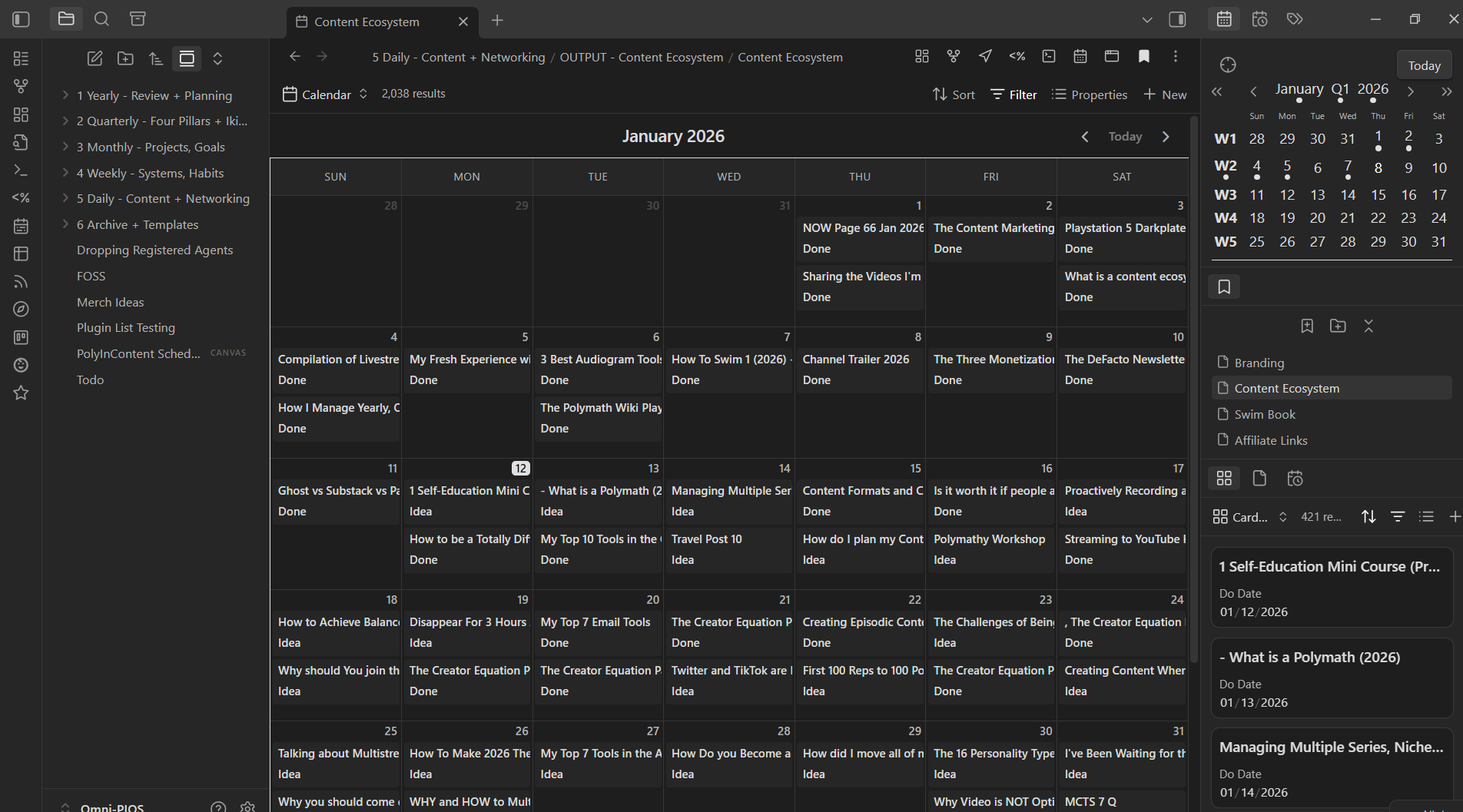
I’ve been treating it as free creator coaching calls too in case you want to ask me something! Here is a screenshot of what my Obsidian vault looks like, and if you want to see more check out the video above.
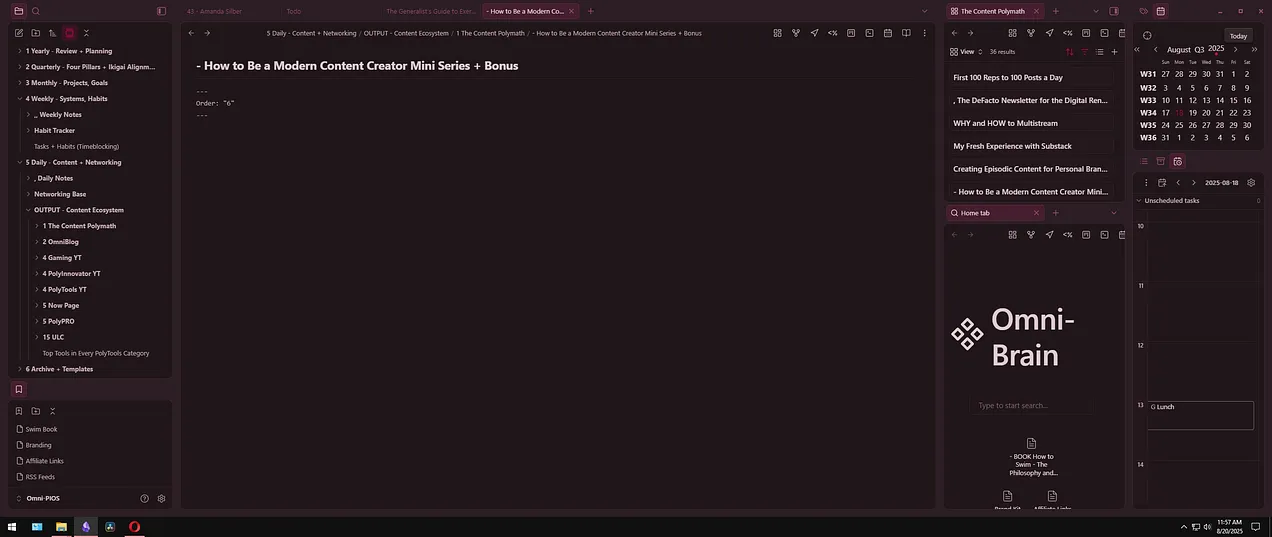
I’ll go into more detail about my planning system in a dedicated video down below!
However for now I'll be adding additional context via this blog post, as after I did this Livestream a new plugin came out for Obsidian that changed the game!
2026 Update:
I used to think Notion was the end all be all, but after years of it slowing down. More bloat features added, and the constant need to have to be online. Even for their "offline" version to work properly.
I had enough.
Moved over to Obsidian, with a few detours, and have struggled to plan out my content most effectively. That was at least until Bases, a core plugin, was introduced. Also thanks to this website for existing, so that I could FIND new plugins:
 Ganessh Kumar
As the default plugin marketplace is terrible lol.
Obsidian Plugins:
The thing I've been wanting in Obsidian, more than a fully working database, was in particular a calendar view. Finally a cal plugin that works, and it integrates with my databases already.
 edrickleong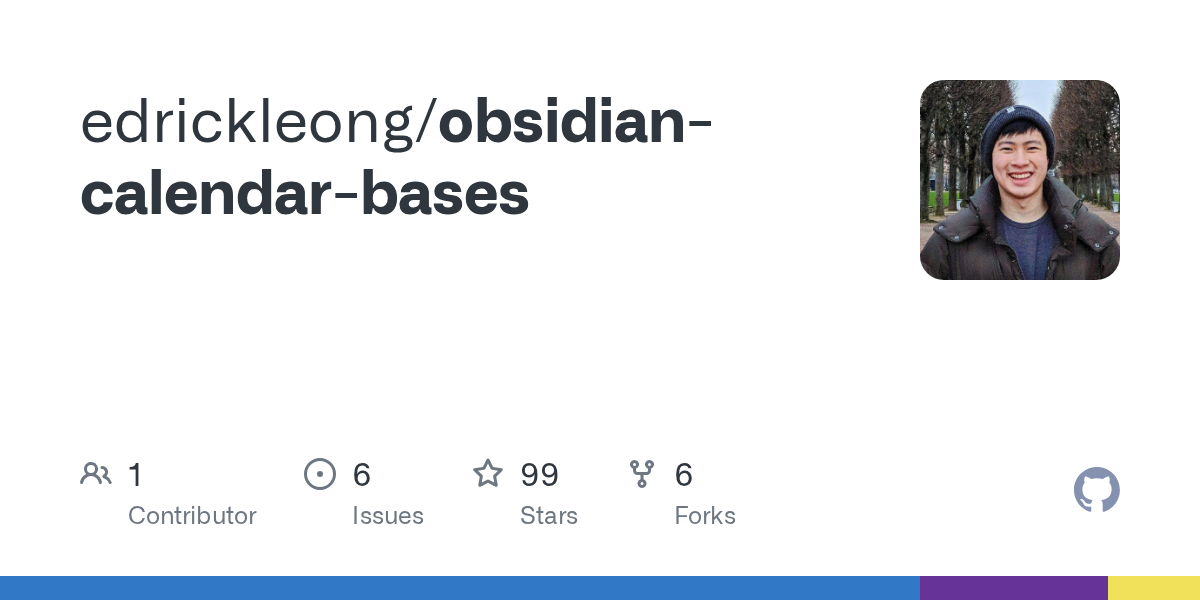
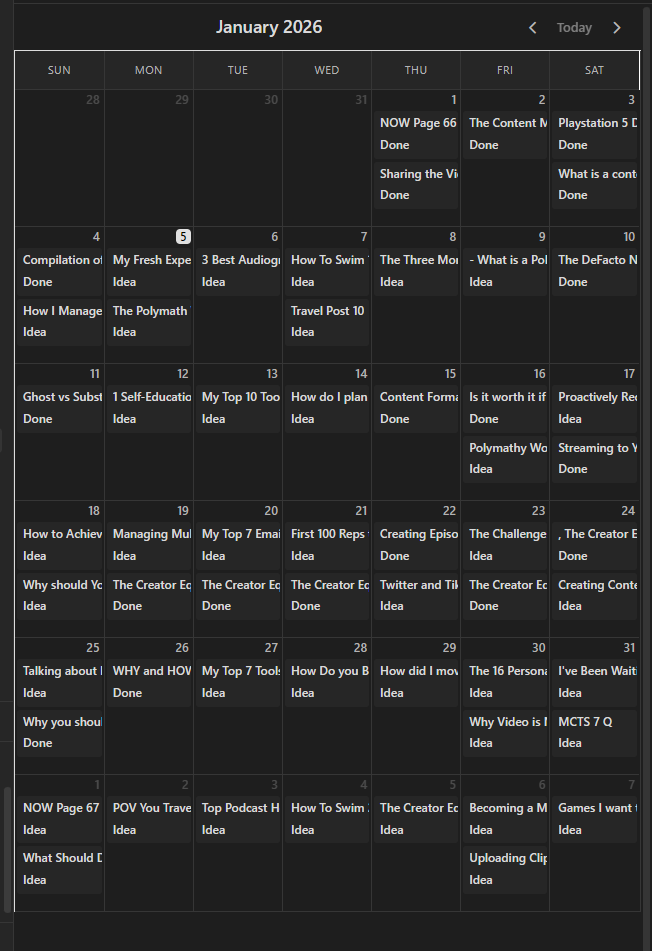
Additionally, the traditional kanban plugin made some changes that made it unhelpful, and now with bases it is sort of out of place. As the kanban plugin weren't related to databases you would make out of the core bases plugin.
Now both calendar and kanban are two planned features for Bases, probably even this year, but after tweeting to Kepano I don't think its going to happen soon. Maybe not as well as these anyways!
There are a few kanban plugins for bases, and a ton of options for kanban as a whole. However this one integrated smoothest.
 xiwcx
xiwcx
Content Calendar:
As you could tell from the picture, every day is filled with something, if not a couple things. I've already made a couple mistake days, which means I missed a piece, and I was easily able to drag it to the next slot. Just like how I was able to in Notion, but now I have more ways of interacting with that same data.
Every month, every day, is filled for the
entire year of 2026!
How did I fill it?
As I mentioned in the new video, I basically had multiple series already lined up, and I needed to place those first.
They sort of acted like guiderails, and allowed me to plan ahead.
For example once a month I do my 🍃 NOW Page, okay cool, done.
Once a week I do my 🧮 The Polymath Wiki newsletter, okay cool.
Then the content channel was a bit more complex, as it is more of my focus this year. I already had half the year SCHEDULED ahead, for the tools side of this channel/newsletter, however not the rest of the year. Additionally, that doesn't help the "how to be a creator" side.
I planned the rest of the year for tools posts, and then made a plan for the whole year of creator posts. Those happen to also be YouTube videos as well, which means that channel gets a video once a week for the whole year.
PolyInnovator YT also needs a weekly video, and I had a number of ideas already too. Thus I planned out, which was a bit harder, a video I could do each week.
Then a few series that needed to be continued, but not necessarily weekly:
 Dustin Miller | PolyInnovator
 Dustin Miller | PolyInnovator
 Dustin Miller | PolyInnovator
They all got a post a month planned out. That's already at least about 200 posts right there. Not including the fact that Thursday's creator posts were both yt and blog. From there I filled in the blanks with various blog posts that needed to go out ages ago.
Now I already had all of the ideas already created, I already had a list of things, and so if you do not that is okay.
What I would suggest is asking GPT "what posts should I make for this topic or my niche?". That will help! Alternatively, you can go on Quora, Yahoo Answers, AnswerThePublic, Reddit, and more to find more ideas.
For example for most of this year, a lot of the polymath related posts are actually responses to various videos I've found over the years. I wanted to highlight the other creator, and expand upon the topics. I might do the same for various blog posts as well.
How can you replicate this?
First let me just start by saying you don't have to copy the extremity of what I did!
I WANTED THIS, I WANTED DAILY FOR YEAR CONTENT, and that is totally all me. I do not want to influence you into doing something so extreme, if that is not what you need to do.
Now if you're like me, and for some reason you have a need for a system like this for a massive amount of content. Then I am glad I could help you.
If you're a regular creator just trying to improve, then take the lessons here, and just apply it on a smaller scale!
Steps:
- Download Obsidian.
- Activate plugins, and mess around with the tool a bit.
- Download BRAT plugin, so you can activate beta plugins. Or wait until this is natively in Obsidian Bases presumably later this year.
- Download the calendar beta plugin.
- Make a folder for each content arm you do, I also usually have a "Done" folder within it, just for simple archival purposes. If you want to get really granular I also have a year folder within those.
- Make a .Base for your content ecosystem.
- Filter the base for your content folder.
- Once you have ideas in your folders, each idea = a note, then you can add properties to each of them. Here is a template to paste at the top of the note:
---
Status: Idea
Content Type: YT PolyInnovator
Do Date: 2026-01-12
--- - Mark them what type, mark them "Idea" then later "Done" when you publish, and then pick a date.
- When Picking dates you can either do it from the note, if you type it out, which is easier for stuff you do on similar dates. I.e. my Now Page is the FIRST of every month, so I just copied and pasted, then changed a single digit. OR you can pick them from the database table view, and that works too.
- From there just plan out your year! Repeat the process for each content type until you have enough to satisfy your plans!


